For iPhone, iPad, Mac and Vision Pro
Your lab results stay yours
Enter your results, see at a glance what sits inside the normal range, and keep the trend over years. No account, no sign-in, no server of ours for your values to land on.
- $0.99 one-time purchase
- no subscription
- no ads
- requires iOS 26.0
Results from 14 August
Where your data lives
We could not look at your results, even if we wanted to
Your values live on your iPhone. Turn on iCloud and they also live in your iCloud account — yours, not ours.
We run no server for them to land on. There is no account with us, no sign-in, no transfer. If you would rather skip iCloud too, turn off syncing for Lab Tracker in your iOS settings and the app keeps working entirely on-device.
No account
The app never asks for an email address or a password. There is nothing we could recognise you by.
No ads
No advertising, no ad networks, no third-party components reading along.
No tracking
No analytics inside the app. The App Store states for Lab Tracker: “The developer does not collect any data from this app.”
Nor this website
No cookies, no analytics, no fonts from someone else's server. Which is why there is nothing here for you to allow.
What you see
One glance is enough
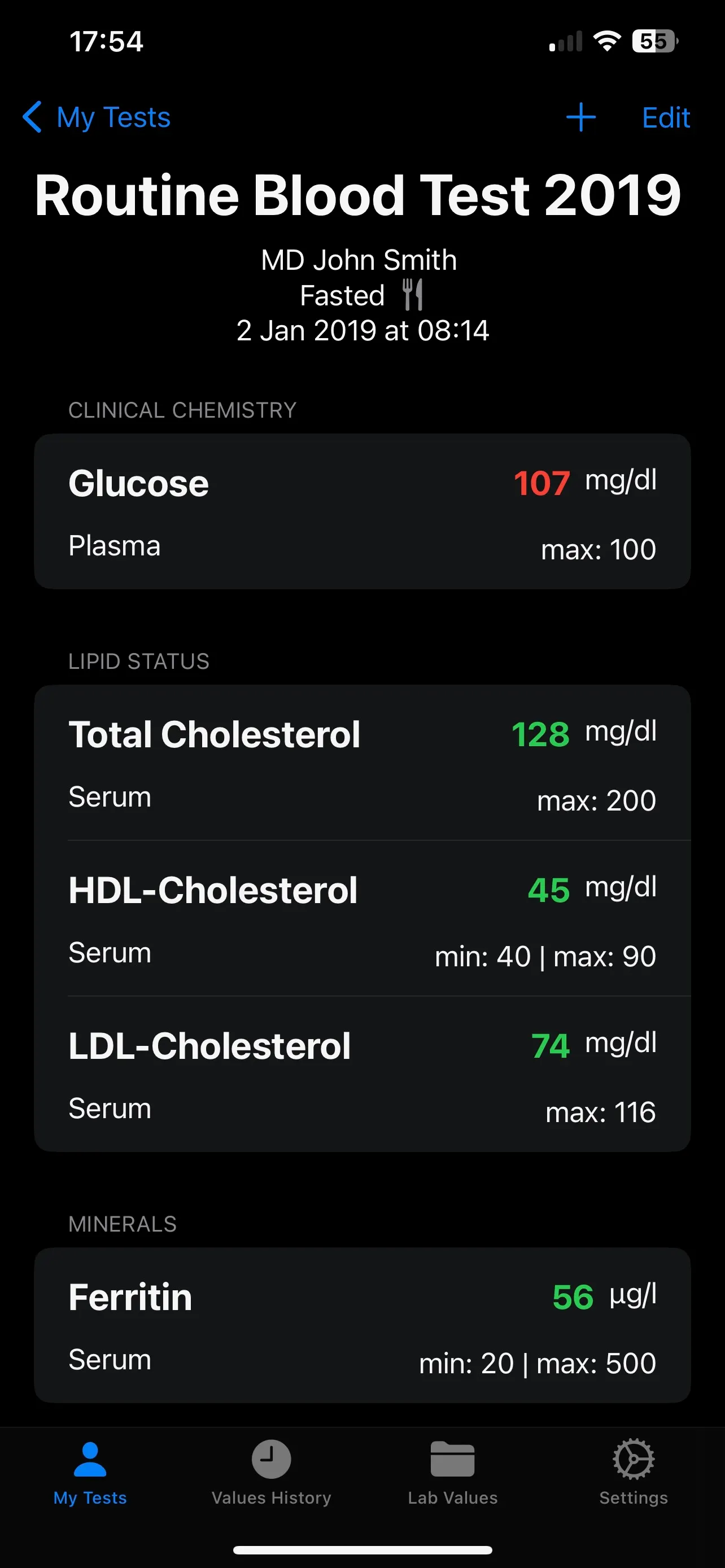
Every value shows where it stands: inside the reference range or outside it. Colour alone would not be enough — so an icon and the written word always sit beside it.
The same value in three positions
Reference ranges can be adjusted per value and per profile — laboratories do not all use the same limits.
Features
What the app does
Not a feature list built to impress. The things you actually need when keeping track of lab results.
Record results
Enter the values of a test, with date, laboratory and whether you were fasting.
Placed straight away
As you enter it, every value shows whether it falls inside the reference range — colour, icon and text together.
Trends over years
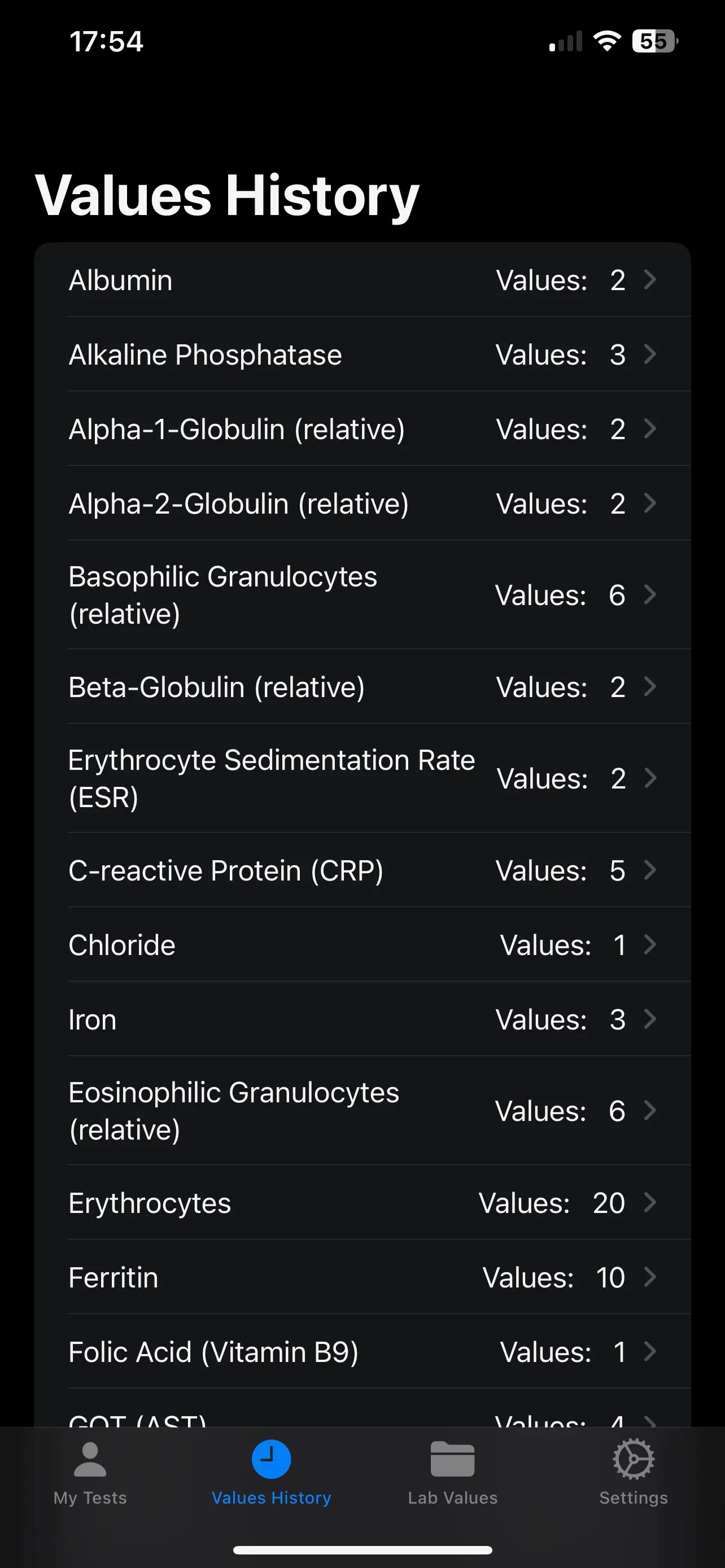
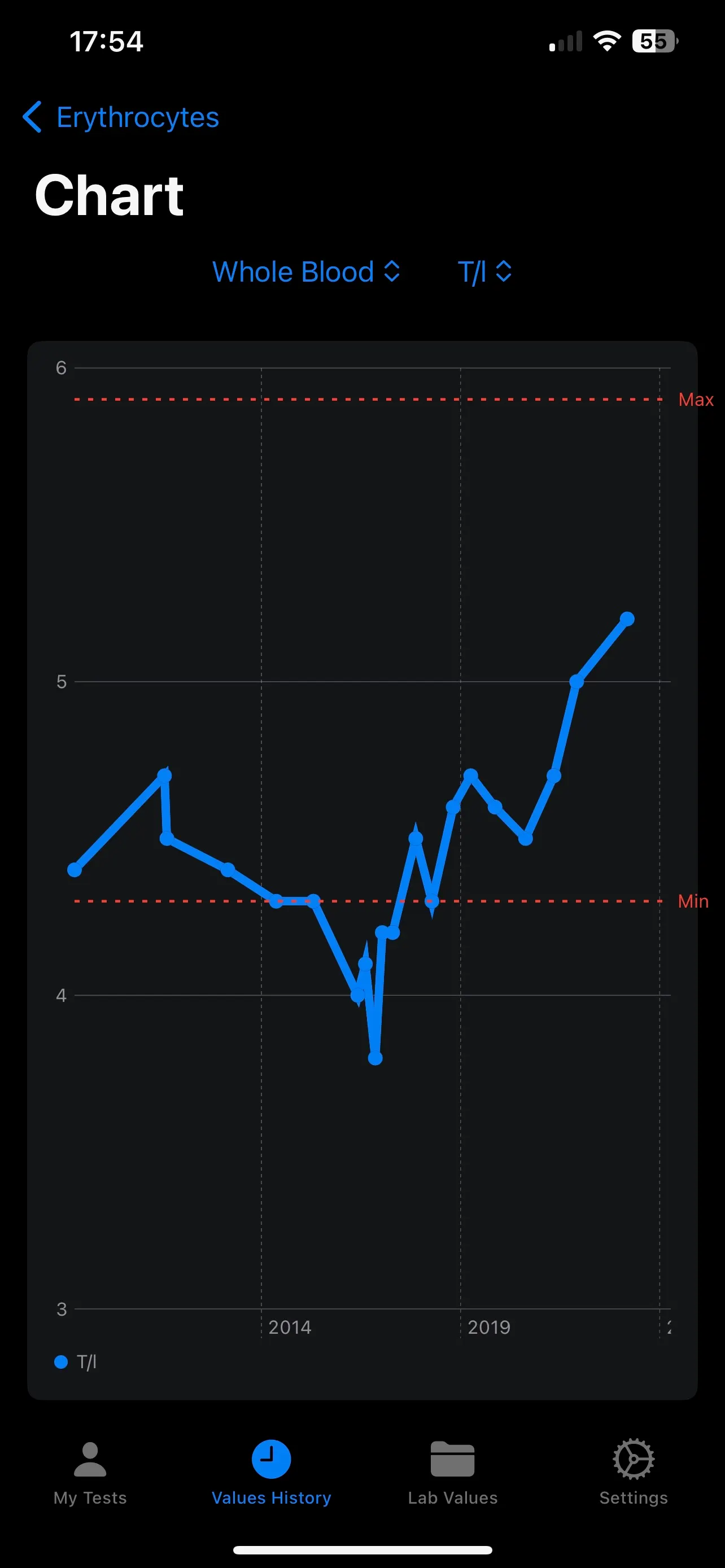
Every value gets its own curve with min and max lines. Changes become visible before anyone explains them.
Multiple profiles
One app for the whole family — each profile with its own history and its own limits.
Your own ranges
Adjust limits per value, and add your own lab parameters when something is missing from the list.
CSV export
Write out the values of a test as a file — for your own analysis or the conversation at the practice.
Screens
The app
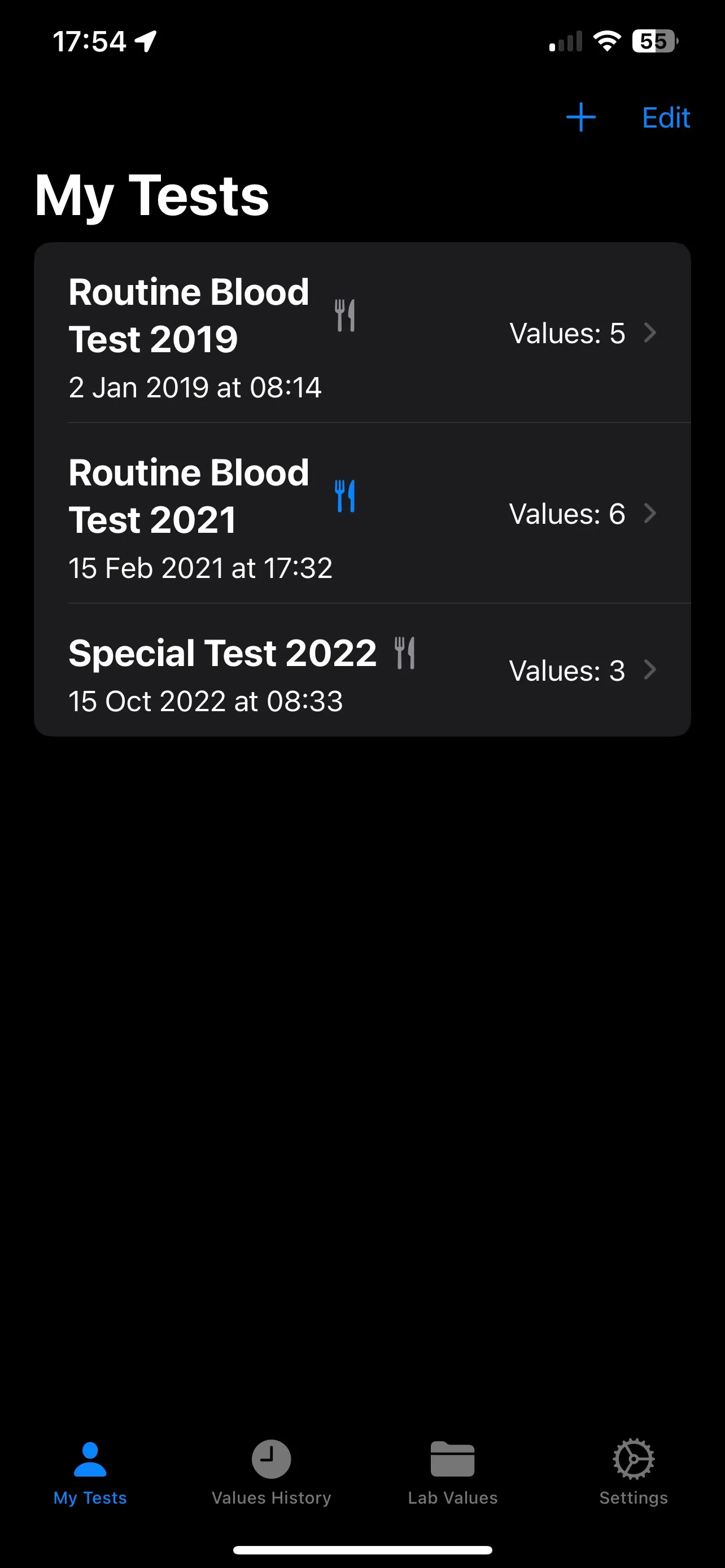
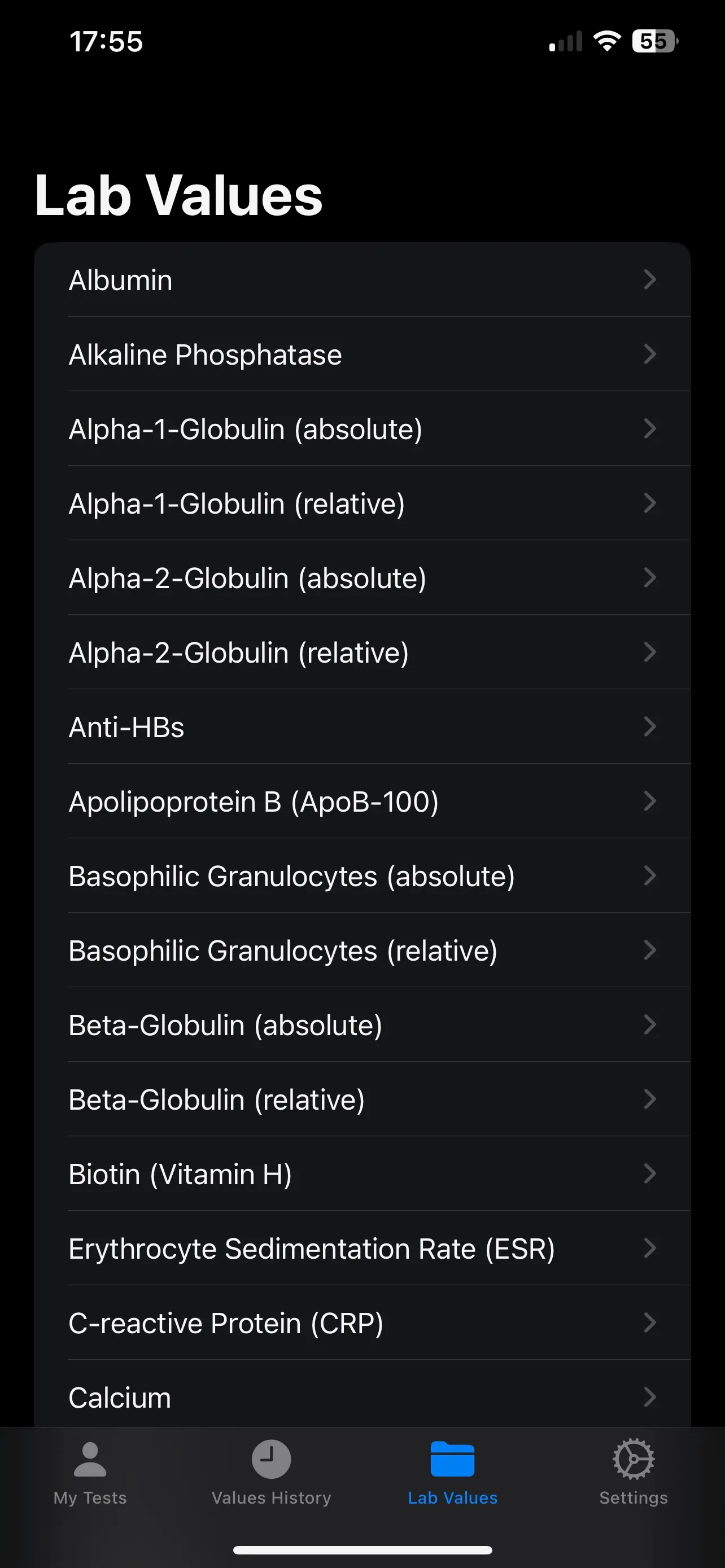
Screens from Lab Tracker in dark mode.
Lab Tracker or Lab Mate?
What Lab Tracker deliberately does not do
Lab Tracker stays what it is: an iPhone app that records lab results. Lab Mate is the next step alongside it — with a wider feature set and AI analysis.
- No AI analysis. Nothing about your values is sent to a language model.
- No Android. Lab Tracker is built for Apple devices and stays that way.
- No account, no sign-in, no cloud of ours.
If that suits you, Lab Tracker is the right choice. If you want more — AI analysis, results from a photo, an explanation for every value — then take a look at Lab Mate.
Take a look at Lab MateYou can bring your existing values along.
Get the app
Buy once, done
No subscription, no recurring payment, no features locked behind a gate. If you like, you can support development voluntarily later on.

Lab Tracker
One-time purchase on the App Store
$0.99
- Requirements
- iOS 26.0
- On the App Store since
- 2024
- Version
- 1.5.0
- Developer
- Talea Labs GbR
iPhone, iPad, Mac (M1 or newer), Apple Vision Pro
Questions
Asked often
Will Lab Tracker come to Android?
No. The app is built for Apple devices and relies on their own facilities for storage and syncing. An Android version would have to be written from scratch — and is not planned.
What happens to my values when I get a new iPhone?
With iCloud switched on, your values are there again once you sign in with the same Apple ID. Without iCloud, a backup of your old device carries them over. If you rely on neither, use the CSV export beforehand.
How do I get my data out if I delete the app?
You cannot afterwards — so export first. The values live only on your device and in your iCloud account; we hold no copy we could hand back. The CSV export writes out the values of a test as a file.
Why does the app require iOS 26?
Lab Tracker uses current system facilities. Older versions of the app keep working but receive no further updates. If your device cannot run iOS 26, you unfortunately cannot install the app anew.
How is Lab Tracker different from Lab Mate?
Lab Tracker records results and shows trends — nothing more, and that is the point. Lab Mate is the next step, with a wider feature set and AI analysis. Both continue side by side.
Can I share the app with my family?
Yes. The purchase can be shared through Apple's Family Sharing. Inside the app you create a separate profile with its own history for each family member.
Does the app replace medical advice?
No. Lab Tracker records and displays. It makes no diagnoses, gives no treatment advice, and the preset reference ranges are reference points — what counts is your laboratory's report and the conversation at your practice.
Health notice
This app is not intended to diagnose, treat, cure or prevent any disease or medical condition. Please consult a doctor before making any medical decision.